<!-- Meta Pixel Code --> <!-- 结束元像素代码 -->

Troubleshooting Print Defects Using UV Ink Performance Optimization Methods

Troubleshooting Print Defects Using UV Ink Performance Optimization Methods

In the competitive world of label printing, achieving consistent, high-quality output is paramount. Print defects can lead to costly downtime, material waste, and dissatisfied clients. One of the most effective strategies to combat these issues lies in the meticulous optimization of UV ink performance. This approach, particularly relevant in flexographic and offset printing for narrow web applications, leverages the rapid curing capabilities of LED UV technology to enhance both speed and quality.

Understanding UV Ink and LED Curing Technology

UV (ultraviolet) inks are photopolymerizable substances that solidify rapidly upon exposure to UV light. Unlike conventional inks that dry through evaporation, UV inks cure through a chemical reaction initiated by UV radiation. This process is exceptionally fast, allowing for immediate handling of printed materials and enabling higher printing speeds.

LED UV curing technology offers distinct advantages over traditional mercury lamp UV systems. LEDs are more energy-efficient, generate less heat, have a longer lifespan, and offer a more consistent UV output. This consistency is key to predictable and reliable ink curing, which directly impacts defect prevention.

Common Print Defects and Their Link to UV Ink Performance

Several common print defects can often be traced back to issues with UV ink performance or the curing process. Understanding these connections is the first step toward effective troubleshooting.

Ink Adhesion Problems

Poor ink adhesion, where ink peels or scratches off easily, is a frequent concern. This can occur when the UV ink doesn’t fully cure. Causes include:

  • Insufficient UV Exposure: The intensity or duration of UV light is inadequate for complete polymerization.
  • Incorrect Ink Formulation: The ink’s chemistry might not be optimized for the specific substrate or curing wavelength.
  • Substrate Surface Issues: The substrate might have surface treatments that interfere with ink bonding, or it could be contaminated.
  • Over-Application of Additives: Excessive slip or anti-block agents can hinder adhesion.
Ink Tack and Transfer Issues

Ink tack refers to the “stickiness” of the ink, which needs to be just right for proper transfer from the printing plate or blanket to the substrate. Problems with tack can lead to:

  • Poor Ink Transfer: Ink remains on the plate/blanket instead of transferring cleanly to the label. This often results in weak, incomplete images.
  • Ink Smearing/Ghosting: Ink transfers unevenly, creating faint duplicates or smears of the image.

These issues can be influenced by:

  • Ink Viscosity: Incorrect viscosity can prevent proper ink pickup and transfer.
  • Curing Speed: If the ink cures too slowly, it can remain tacky and cause transfer problems in subsequent stations or during rewinding.
  • Plate/Anilox Roll Issues: Worn plates or clogged anilox cells in flexography can disrupt ink transfer.
Surface Dryness and Blocking

Blocking occurs when printed surfaces stick together under pressure, causing damage. This is often a sign of incomplete surface curing. Factors contributing to this include:

  • Insufficient UV Intensity: Especially on the surface layer of the ink.
  • Ink Too Soft: The ink remains pliable and susceptible to pressure.
  • High Humidity: Can slow down the final stages of curing or affect ink properties.
Pinholing and Orange Peel Effects

Pinholing appears as tiny voids or holes in the printed ink film. An orange peel effect is a more widespread, textured surface that resembles the skin of an orange. These can be linked to:

  • Air Entrapment: Air bubbles trapped in the ink during transfer or printing can cause voids.
  • Ink Flow Properties: If the ink doesn’t flow smoothly and level out properly before curing, these defects can arise.
  • Curing Issues: Uneven curing can exacerbate surface imperfections.

Optimizing UV Ink Performance for Flexographic and Offset Narrow Web Printing

Optimizing UV ink performance involves a systematic approach that considers the ink, the substrate, the printing process, and the curing system.

1. Ink Selection and Formulation

The choice of UV ink is critical. Different inks are formulated for specific substrates, printing methods, and curing technologies.

  • Substrate Compatibility: Ensure the ink is designed for the specific material being printed (e.g., coated paper, film, foil). Some substrates require special primers or inks with enhanced adhesion properties.
  • Curing Wavelength: UV inks are formulated to cure under specific UV wavelengths. Ensure your LED UV lamps emit the correct wavelengths that match your ink’s formulation (e.g., 365nm, 395nm).
  • Ink Properties: Consider viscosity, pigment load, and rheology to ensure optimal transfer and laydown for your specific press and anilox rolls (in flexo).
2. Substrate Preparation and Handling

The condition of the substrate directly impacts ink adhesion and print quality.

  • Surface Energy: Ensure the substrate has adequate surface energy for the chosen ink to wet and adhere properly. Corona treatment or flame treatment might be necessary for low-surface-energy films.
  • Cleanliness: Contaminants, oils, or dust on the substrate can severely impair adhesion and cause defects. Implement strict handling protocols.
  • Moisture Content: For paper substrates, excessive moisture can affect curing.
3. Pressroom Environment and Setup

The printing environment and the press setup play a significant role.

  • Temperature and Humidity: While less critical for UV inks than solvent-based ones, extreme conditions can still influence ink viscosity and curing. Maintain a stable environment.
  • Ink Temperature: For consistent viscosity, especially in high-speed printing, ink temperature might need to be controlled.
  • Flexographic Specifics:
    • Anilox Roll Selection: The correct anilox cell volume and screen count are vital for precise ink transfer.
    • Plate Quality: Worn or damaged plates will result in poor print definition and potential defects.
    • Impression Pressure: Excessive pressure can lead to ink squish and distortion.
  • Offset Specifics:
    • Ink-Water Balance: For conventional offset, maintaining the correct balance is crucial to prevent ink film issues.
    • Roller Condition: Clean and well-maintained rollers ensure uniform ink distribution.
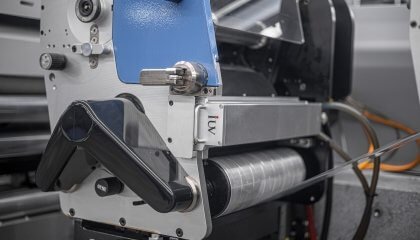
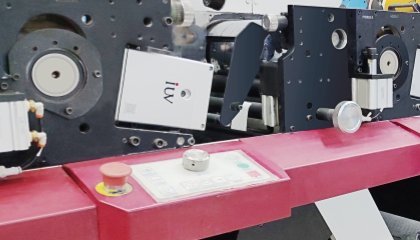
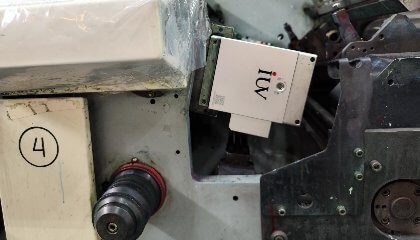
4. LED UV Curing System Optimization

This is where performance optimization truly shines.

  • UV Intensity (Irradiance): Ensure the UV lamps are providing sufficient intensity (measured in W/cm² or mJ/cm²). This is often adjustable on modern LED systems. Too low, and you get incomplete cure; too high, and you risk ink degradation or substrate damage.
  • Exposure Dose (Energy): This is the product of intensity and exposure time. The required dose depends on the ink chemistry, color opacity, and substrate. A thicker ink film, especially with high pigment load (e.g., white ink), requires more energy.
  • Wavelength Consistency: LED lamps offer excellent spectral stability, but regular checks ensure they are operating within their specified wavelength range.
  • Lamp Placement and Cooling: Ensure lamps are correctly positioned relative to the substrate and that the cooling systems are functioning to prevent overheating, which can affect ink performance and substrate integrity.
  • Web Speed Synchronization: The speed of the printing press must be synchronized with the UV lamp output to deliver the correct energy dose.

Troubleshooting Strategies Using UV Ink Performance Metrics

When defects occur, a structured troubleshooting approach is best.

  • Defect Analysis: Clearly identify the defect (e.g., scratching, poor adhesion, blocking).
  • Isolate the Variable: Determine which part of the process might be at fault – ink, substrate, press setup, or curing.
  • Test Curing: Use a radiometer to measure the UV output of your lamps. Compare this to the ink manufacturer’s recommendations for intensity and energy dose.
  • Adhesion Testing: Perform industry-standard adhesion tests (e.g., cross-hatch tape test) on printed samples.
  • Blocking Tests: Stack printed materials under controlled pressure and temperature for a set time to check for blocking.
  • Ink Manufacturer Consultation: Work closely with your ink supplier. They can provide valuable insights into their ink’s performance characteristics and suggest adjustments.

The Role of Digital Tools and Analytics

Modern printing operations can leverage digital tools for enhanced optimization.

  • Inline Measurement: Some systems offer inline UV measurement, allowing for real-time monitoring of curing intensity.
  • Press Monitoring Software: Track press speeds, temperatures, and ink levels. Correlating this data with defect occurrences can reveal patterns.
  • Data Logging: Maintain detailed records of ink batches, substrate lots, press settings, and curing parameters. This historical data is invaluable for root cause analysis.

By systematically addressing these factors – from the fundamental properties of UV inks and LED curing to the intricacies of flexographic and offset printing processes – label printers can significantly reduce print defects. This proactive optimization not only improves product quality but also boosts efficiency and profitability in a demanding market.

Contact IUV Curing Experts

滚动至顶部