<!-- Meta Pixel Code --> <!-- 结束元像素代码 -->

Step-by-Step Tutorial on UV Curing Setup for High-Resolution Label Graphics

Step-by-Step Tutorial on UV Curing Setup for High-Resolution Label Graphics

Achieving high-resolution graphics on narrow-web labels requires more than just a high-end plate or a premium offset press. The secret to crisp dots, vibrant colors, and durable finishes lies in the curing station. Whether you run a flexographic line or a high-speed dry offset press, your UV setup dictates the final quality.

This guide breaks down the technical calibration needed to synchronize UV curing systems with high-resolution label production. We will focus on LED UV integration, energy density, and process control for narrow-web environments.

The Shift to LED UV in High-Resolution Printing

Traditional mercury vapor lamps served the industry for decades. However, high-resolution graphics often involve heat-sensitive thin films like BOPP or PET. Traditional lamps emit significant infrared heat, which can stretch these substrates and cause registration shifts.

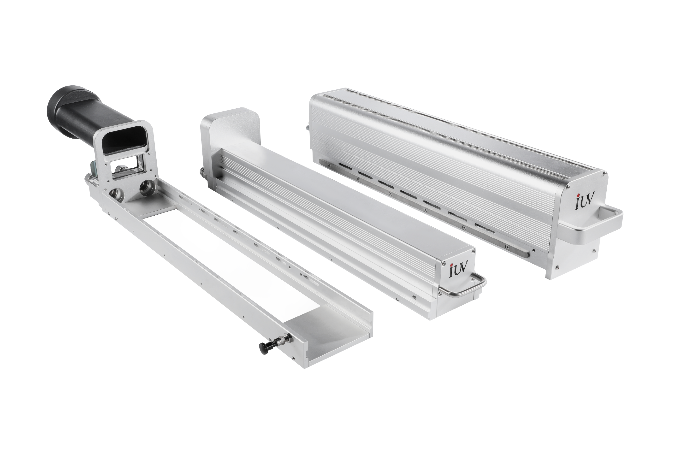
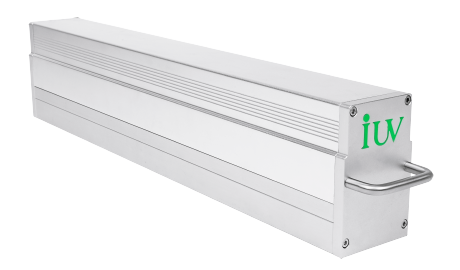
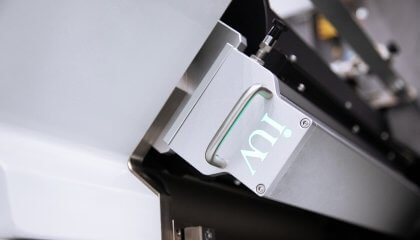
LED UV technology has changed the landscape. It provides a monochromatic wavelength (usually 365nm or 395nm) that penetrates ink layers without overheating the web. For fine-detail labels, LED offers consistent output. Unlike mercury bulbs that degrade over time, LEDs maintain stable intensity. This stability ensures that the first foot of the roll looks exactly like the last.

Step 1: Matching Ink Chemistry to the Light Source

Before touching the hardware, you must verify the ink chemistry. High-resolution graphics utilize high pigment loads to achieve color density at lower film weights. These inks require specific photoinitiators.

If you use an LED system, ensure your inks are “LED-tuned.” Standard UV inks might not react to the narrow 395nm band of an LED lamp. In offset printing, the ink film is much thinner than in flexo. This thin film needs high intensity (irradiance) to trigger the polymerization instantly. Check your ink data sheets for the required millijoules per square centimeter (mJ/cm²).

Step 2: Optimizing Lamp Position and Angle

In narrow-web flexo, the distance between the lamp and the substrate is a critical variable. For high-resolution work, even a few millimeters of deviation can cause “undercured” spots at the edges of the label.

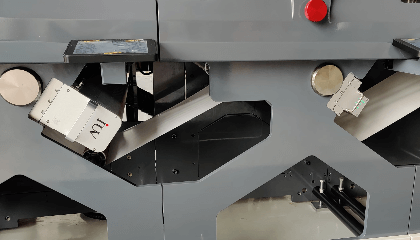
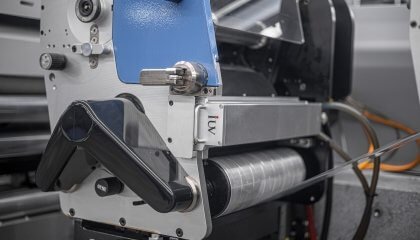
Position the UV head as close to the chill roller as possible. This minimizes the “oxygen inhibition” zone. Oxygen interferes with the curing of the top layer of ink. By keeping the lamp close or using a nitrogen blanket (common in high-end food packaging), you ensure a hard, scratch-resistant surface. Ensure the lamp is perfectly perpendicular to the web to avoid uneven curing across the width of the press.

Step 3: Calibrating Press Speed and UV Dose

The most common mistake in label printing is confusing intensity with dose.

  • Intensity (Irradiance): The peak power of the light hitting the surface.
  • Dose (Energy Density): The total amount of light energy the ink receives over time.

High-resolution graphics, especially those with fine gradients and small text, need a high peak intensity to “freeze” the dot. This prevents dot gain. Once the dot is frozen, the total dose ensures the ink bonds to the substrate.

Start your setup by running a “ramp test.” Print a test strip at 50 meters per minute and gradually increase to 150 meters per minute. Monitor the curing at each stage. Modern UV systems should have “speed-following” logic. This automatically adjusts power levels based on press speed to maintain a constant dose.

Step 4: Managing Thermal Loads and Chill Rollers

High-resolution offset and flexo presses generate friction heat. Combined with UV energy, this can cause the substrate to lose dimensional stability. For narrow-web labels, registration is everything. If the web stretches by even 0.1mm between stations, your high-res graphics will look blurry.

Set your chill rollers to roughly 18-22 degrees Celsius. This temperature pulls the heat out of the web immediately after the UV strike. If you notice the web “snaking” or losing tension, your curing temperature is likely too high. LED systems significantly reduce this risk, but active cooling is still necessary for high-speed runs.

Step 5: Surface Tension and Adhesion Testing

High-resolution graphics require the ink to lay flat. If the substrate’s surface energy is too low, the ink will bead up, causing “pinholing.”

Before the UV station, check the dyne level of the substrate. Most films require at least 38 to 42 dynes for UV ink adhesion. If the levels are low, use a corona treater. Once the UV curing is complete, perform a tape test immediately. Use a standardized tape (like 3M 610) and pull it at a 90-degree angle. For high-res labels, any ink pick-off is unacceptable. It indicates that the UV light is not penetrating through the high pigment load to the substrate.

Step 6: Monitoring Degradation and Reflectors

If you are using traditional UV lamps, the reflectors are just as important as the bulbs. Over time, reflectors become dull or coated with ink mist. This scatters the light, reducing the peak intensity needed for high-resolution dots.

Clean your reflectors weekly with isopropyl alcohol. If you see “blueing” or warping, replace them. In LED systems, check the outer glass or lens. Any dust or ink splatter on the LED lens will create a shadow on the web, leading to uncured streaks in your graphics.

Fine-Tuning for Narrow-Web Specifics

Narrow-web printing allows for tighter control than wide-web formats. Take advantage of this. Use an EIT radiometer to map the “UV map” of your press. This device travels through the press like a piece of substrate and records the exact energy levels.

Compare the radiometer readings to your ink manufacturer’s specs. If the ink requires 150 mJ/cm² for a full cure, but your press is only delivering 120 mJ/cm² at top speed, you must either slow down or upgrade the lamp’s power supply. High-resolution graphics leave no room for guesswork.

Troubleshooting Common Curing Issues

1. Brittle Ink: If the labels crack when wrapped around a small radius, you are over-curing. Reduce the UV power or increase the press speed.
2. Odor Issues: This is common in food-label offset printing. It usually indicates unreacted photoinitiators. Increase the UV dose or check for lamp aging.
3. Low Gloss: If a high-gloss coating looks matte, the UV strike might be happening too late, or the intensity is too low to “flash” the surface.

Summary of the Setup Workflow

To ensure success with high-resolution label graphics, follow this technical checklist:

  • Confirm ink/lamp compatibility (LED vs. Mercury).
  • Clean all lenses and reflectors.
  • Verify substrate dyne levels (40 dynes).
  • Sync UV power to press speed.
  • Set chill roller temperatures to stabilize the web.
  • Measure energy output with a radiometer.
  • Perform tape and rub tests for every job change.

Consistency is the hallmark of a professional printing engineer. By treating the UV curing station as a precision instrument rather than a “set and forget” box, you ensure that your high-resolution graphics remain sharp, durable, and commercially viable. Precision in light delivery results in precision on the label.

Contact IUV Curing Experts

滚动至顶部